Loading...

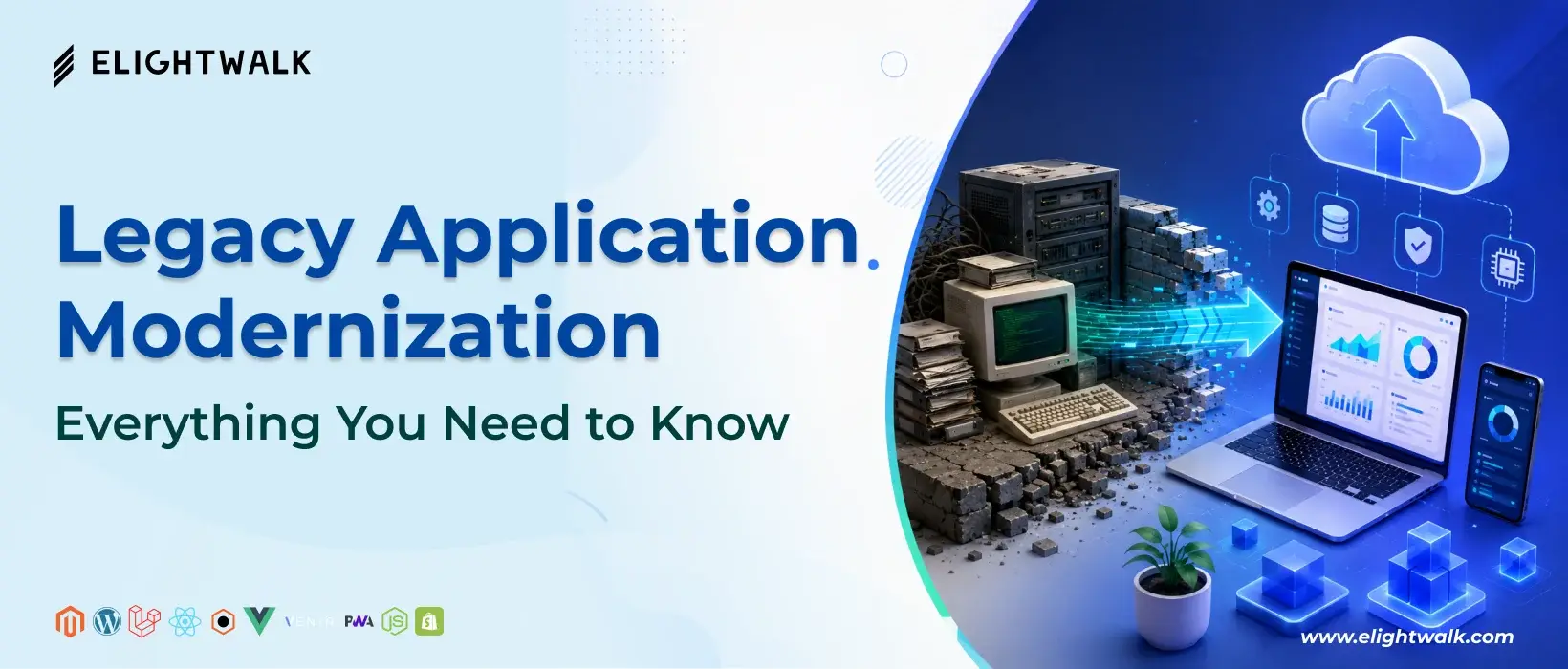
Legacy Application Modernization: Everything You Need to Know

15 Mins
Jayram Prajapati  ·   06 Aug 2026
Share to:
Legacy application modernization strategies for improving scalability, security, performance, and cloud readiness
service-banner

Many organizations are embracing digital transformation by investing in artificial intelligence (AI), cloud computing, automation, and modern customer experiences. However, the core operations of many businesses still depend on legacy applications that were developed years—or even decades—ago. Industries such as banking, healthcare, manufacturing, retail, and government continue to rely on these systems because they are deeply integrated into critical business processes, highly stable, and often too costly or risky to replace entirely. Over time, these applications have been continuously modified to meet evolving business needs, making them indispensable despite their outdated architecture.

While legacy applications continue to support essential operations, the cost of maintaining them continues to rise. Aging systems often require significant maintenance efforts, consume valuable IT resources, expose businesses to security vulnerabilities due to outdated technologies, and make it difficult to integrate with modern platforms and services. More importantly, legacy software can slow innovation, reduce operational efficiency, increase technical debt, and limit an organization's ability to respond quickly to changing customer expectations and market demands. As businesses adopt cloud-native architectures, AI-powered solutions, and real-time analytics, outdated infrastructure often becomes a major barrier to growth and digital innovation.

Legacy application modernization has evolved from being a purely technical initiative into a strategic business investment. Rather than replacing entire systems, organizations can modernize existing applications to improve performance, strengthen security, reduce operational costs, and build scalable, future-ready software. Through approaches such as application refactoring, cloud migration, legacy system upgrades, re-architecting, and API enablement, businesses can extend the value of their existing investments while preparing their technology stack for emerging innovations such as generative AI, intelligent automation, and data-driven decision-making.

In this comprehensive guide, you'll learn what legacy application modernization is, why it plays a critical role in digital transformation, the most effective modernization strategies, the common challenges organizations face during modernization, and the best practices for overcoming them. Whether you're planning to modernize a single business application or transform your entire IT ecosystem, this guide will help you understand the available approaches and make informed decisions that align with your long-term business objectives.

What Is Legacy Application Modernization?

As technology evolves, many organizations find themselves relying on software that was built years or even decades ago. While these applications may still perform their core functions, they often struggle to meet today's demands for speed, security, scalability, and seamless integration. Rather than replacing these systems entirely, many businesses choose to modernize them to extend their value and support future growth.

Legacy application modernization is the process of updating existing software applications, infrastructure, and architectures to align with modern business requirements and technologies. The goal is to improve performance, enhance security, reduce maintenance costs, and enable capabilities such as cloud computing, AI, automation, APIs, and microservices without disrupting critical business operations.

Unlike a complete system replacement, modernization focuses on preserving valuable business logic while transforming the application into a more flexible, scalable, and future-ready solution.

What Is Legacy Application Modernization?

Legacy application modernization refers to upgrading or transforming older software systems using modern technologies, development practices, and cloud-native architectures. Depending on business goals, modernization may involve:

  • Migrating applications to the cloud
  • Refactoring or rewriting parts of the application code
  • Breaking monolithic applications into microservices
  • Modernizing databases and infrastructure
  • Integrating APIs for better connectivity
  • Automating deployments using DevOps and CI/CD pipelines
  • Improving user interfaces and customer experiences

The primary objective is to increase business agility while minimizing the risks associated with maintaining outdated systems.

What Qualifies as a Legacy Application?

A legacy application isn't simply an old application; it's software that has become difficult or expensive to maintain due to outdated technologies, architectures, or infrastructure. In many cases, these applications continue to support mission-critical operations despite their limitations.

An application is generally considered a legacy system if it exhibits several of the following characteristics:

  • Built using outdated programming languages or frameworks
  • Runs on aging or unsupported hardware
  • Depends on obsolete operating systems or databases
  • Requires significant manual maintenance
  • Has limited documentation or unavailable source code
  • Cannot easily integrate with cloud services or modern APIs
  • Experiences frequent performance or scalability issues
  • Presents increasing cybersecurity and compliance risks
  • Relies on technologies with a shrinking pool of skilled developers

Examples of legacy applications include on-premises ERP systems, monolithic enterprise applications, mainframe-based financial systems, outdated CRM platforms, and custom software developed many years ago.

Legacy Modernization vs. Replacing an Application

One of the biggest misconceptions is that every outdated application needs to be replaced. In reality, complete replacement is only one option, and often the most expensive and disruptive.

Legacy Application Modernization Complete Application Replacement
Preserves existing business logic Builds an entirely new system
Lower implementation cost in many cases Higher upfront investment
Faster implementation timeline Longer development cycle
Lower business disruption Greater operational risk during transition
Incremental improvements Complete redesign from scratch
Retains valuable historical data and workflows May require extensive data migration and retraining

Modernization is often the preferred choice when the application's core functionality remains valuable, but its underlying technology has become outdated. Replacement may be more appropriate when the software no longer meets business needs or has reached the end of its lifecycle.

Why Modernization Has Become a Business Priority

Application modernization is no longer just an IT initiative; it has become a strategic business necessity. Organizations today face increasing pressure to innovate faster, deliver better customer experiences, strengthen cybersecurity, and reduce operational costs.

Several factors have accelerated modernization efforts in recent years:

  • Cloud-first strategies: Businesses are moving workloads to the cloud to improve scalability, availability, and cost efficiency.
  • Artificial intelligence adoption: AI-powered applications require modern architectures that can process data efficiently and integrate with machine learning services.
  • Cybersecurity threats: Unsupported legacy systems are more vulnerable to security breaches and compliance failures.
  • Customer expectations: Users expect fast, reliable, and personalized digital experiences across web and mobile platforms.
  • Remote and hybrid work: Modern applications enable secure access from anywhere while supporting distributed teams.
  • Faster software delivery: DevOps, CI/CD, and automation enable organizations to release updates more frequently while reducing risk.
  • Competitive pressure: Companies that modernize can innovate more quickly and respond faster to changing market demands.

Instead of viewing modernization as a cost, leading organizations increasingly see it as an investment that improves resilience, accelerates innovation, and prepares the business for future technologies. By modernizing legacy applications, enterprises can unlock greater agility, reduce technical debt, and build a stronger foundation for long-term digital transformation.

Why Legacy Systems Become a Business Challenge

Legacy applications may continue to support day-to-day operations, but as technology evolves, they become increasingly difficult to maintain and adapt. What once served as a reliable business asset can gradually turn into a barrier to innovation, slowing digital transformation efforts and increasing operational risks.

Many organizations delay modernization because their existing systems still function. However, "working" doesn't necessarily mean "working efficiently." Outdated software often limits scalability, complicates integrations, increases IT expenses, and makes it harder to meet modern customer expectations. Over time, these challenges can impact productivity, profitability, and competitiveness.

Below are the most common reasons why legacy systems become a growing business challenge.

Rising Maintenance Costs

One of the biggest drawbacks of legacy applications is the increasing cost of keeping them operational. Older systems typically require frequent maintenance, custom patches, and specialized expertise, all of which consume significant IT resources.

Organizations often spend a large portion of their IT budgets simply maintaining existing applications instead of investing in innovation. These costs may include:

  • Maintaining aging servers and infrastructure
  • Licensing outdated software
  • Hiring specialists with legacy technology expertise
  • Fixing recurring bugs and system failures
  • Supporting custom integrations built years ago

As hardware reaches the end of its lifecycle and vendor support becomes limited, maintenance costs continue to rise while business value declines.

Security Vulnerabilities

Cybersecurity threats have become more sophisticated, but many legacy applications were never designed to defend against today's attack methods. Older software often lacks modern security features and may no longer receive security updates from vendors.

Common security risks include:

  • Unsupported operating systems and software
  • Unpatched vulnerabilities
  • Weak authentication mechanisms
  • Limited encryption capabilities
  • Difficulty meeting regulatory compliance requirements
  • Higher exposure to ransomware and data breaches

For industries such as healthcare, finance, and government, outdated applications can also create compliance risks related to regulations like GDPR, HIPAA, PCI DSS, or other industry standards.

Modernizing applications helps strengthen security by enabling regular updates, stronger identity management, cloud-native security services, and continuous monitoring.

Poor Performance and Scalability

Legacy applications were typically built for workloads that looked very different from today's digital environments. As businesses grow and customer demand increases, these systems often struggle to keep pace.

Common performance challenges include:

  • Slow application response times
  • Limited ability to handle increasing user traffic
  • System downtime during peak demand
  • Inefficient resource utilization
  • Difficulty supporting mobile and web applications

Many legacy systems rely on monolithic architectures that make scaling expensive and complex. Modern cloud-native applications, by contrast, can automatically scale resources based on demand, improving both performance and cost efficiency.

Difficult Integrations with Modern Platforms

Today's businesses rely on interconnected digital ecosystems that include CRM platforms, ERP systems, payment gateways, cloud services, AI tools, analytics platforms, and third-party applications. Unfortunately, legacy software often wasn't designed for this level of connectivity.

Integration challenges may include:

  • Lack of modern APIs
  • Proprietary data formats
  • Incompatible databases
  • Manual data transfers
  • Siloed business information
  • Complex middleware requirements

These limitations prevent organizations from automating workflows, sharing real-time data, and adopting emerging technologies such as AI, machine learning, and advanced analytics.

Modernization introduces API-first architectures and integration capabilities that enable applications to communicate efficiently across the enterprise.

Lack of Developer Support for Outdated Technologies

Many legacy systems are built using programming languages, frameworks, or platforms that are no longer widely used. As experienced developers retire or move to newer technologies, finding qualified professionals becomes increasingly difficult.

Organizations may face challenges such as:

  • Smaller talent pools
  • Higher hiring costs
  • Longer development cycles
  • Limited community support
  • Reduced vendor assistance
  • Slower bug fixes and feature development

This shortage of expertise increases project risk and makes ongoing maintenance more expensive. Modernizing applications allows organizations to adopt widely supported technologies that attract skilled developers and simplify long-term maintenance.

Poor Customer and Employee Experience

User expectations have changed dramatically over the past decade. Customers expect fast, intuitive, and personalized digital experiences across web and mobile devices, while employees need efficient tools that improve productivity rather than slow them down.

Legacy applications often fall short by offering:

  • Outdated user interfaces
  • Slow page loading times
  • Limited mobile compatibility
  • Manual workflows
  • Inconsistent user experiences
  • Frequent system interruptions

For customers, this can lead to frustration, abandoned transactions, and lower satisfaction. For employees, inefficient systems reduce productivity, increase training requirements, and create unnecessary operational bottlenecks.

Modernizing legacy applications enables organizations to deliver responsive user interfaces, faster performance, automation, and seamless experiences that improve both customer satisfaction and workforce efficiency.

Legacy systems may continue to perform their original functions, but the growing costs, security risks, scalability limitations, integration challenges, talent shortages, and poor user experiences make them increasingly difficult to justify. Addressing these issues through legacy application modernization allows organizations to reduce technical debt, improve operational efficiency, and build a technology foundation that supports long-term business growth and digital transformation.

Business Benefits of Legacy Application Modernization

Modernizing legacy applications is more than a technical upgrade—it's a strategic investment that helps organizations become more agile, efficient, and competitive. By replacing outdated technologies with modern architectures, businesses can reduce operational complexity, accelerate innovation, and prepare for future growth.

Whether the goal is to migrate to the cloud, improve customer experiences, or adopt artificial intelligence (AI), application modernization provides the foundation needed to achieve these objectives. Below are some of the most significant business benefits of legacy application modernization.

Reduced Operational Costs

Maintaining legacy systems often consumes a significant portion of IT budgets. Aging infrastructure, expensive software licenses, specialized developer skills, and frequent maintenance all contribute to rising operational expenses.

Modernizing applications helps reduce these costs by:

  • Eliminating outdated hardware and infrastructure
  • Lowering maintenance and support requirements
  • Reducing software licensing expenses
  • Automating routine operational tasks
  • Optimizing cloud resource usage through scalable infrastructure
  • Decreasing downtime and productivity losses

Instead of allocating resources to maintaining outdated systems, organizations can invest in innovation, product development, and customer-focused initiatives.

Improved Security and Compliance

Cybersecurity threats continue to evolve, making outdated applications increasingly vulnerable to attacks. Legacy systems often lack modern authentication methods, encryption standards, and automated security updates.

Application modernization improves security by enabling:

  • Stronger identity and access management
  • Regular security patches and updates
  • Advanced encryption for data protection
  • Continuous threat monitoring
  • Secure APIs and integrations
  • Cloud-native security capabilities
  • Compliance with industry regulations and data protection standards

For organizations operating in regulated industries such as finance, healthcare, or government, modernization also simplifies compliance with evolving security and privacy requirements.

Better Scalability

Business growth requires applications that can adapt to increasing workloads without sacrificing performance. Legacy applications built on monolithic architectures often struggle to handle spikes in user traffic or rapidly changing business demands.

Modernized applications offer greater scalability through:

  • Cloud-native infrastructure
  • Microservices architecture
  • Containerized deployments
  • Automatic resource scaling
  • Load balancing
  • High availability and disaster recovery capabilities

This flexibility enables businesses to expand into new markets, support growing customer bases, and launch new digital services without major infrastructure investments.

Faster Software Releases

Traditional legacy applications often require lengthy development cycles because even small updates can affect the entire system. This slows innovation and delays the delivery of new features.

Modernization enables faster software development through:

  • DevOps practices
  • Continuous Integration (CI)
  • Continuous Delivery (CD)
  • Automated testing
  • Infrastructure as Code (IaC)
  • Modular application architecture

These practices allow development teams to release updates more frequently, reduce deployment risks, and respond quickly to changing business needs and customer feedback.

Enhanced Customer Experience

Today's customers expect fast, intuitive, and personalized digital experiences across every device. Legacy applications frequently struggle to meet these expectations due to outdated interfaces, slow performance, and limited functionality.

Modernized applications improve customer experiences by providing:

  • Faster application performance
  • Responsive web and mobile interfaces
  • Personalized user experiences
  • Improved reliability and uptime
  • Real-time data processing
  • Seamless omnichannel experiences

A better digital experience increases customer satisfaction, strengthens brand loyalty, and can contribute to higher conversion rates and long-term revenue growth.

Easier Cloud Adoption

Cloud computing has become a cornerstone of modern digital transformation, offering flexibility, scalability, and cost efficiency. However, many legacy applications were never designed to operate in cloud environments.

Application modernization makes cloud adoption easier by:

  • Migrating workloads to public, private, or hybrid cloud platforms
  • Replacing tightly coupled architectures with cloud-native designs
  • Optimizing applications for cloud performance
  • Improving disaster recovery and business continuity
  • Supporting remote and distributed workforces
  • Reducing infrastructure management overhead

Modern cloud environments also provide access to managed services that accelerate development and reduce operational complexity.

AI and Automation Readiness

Artificial intelligence, machine learning, and business automation are reshaping how organizations operate. However, legacy applications often lack the architecture and data accessibility needed to support these advanced technologies.

Modernized applications provide the foundation for AI by enabling:

  • API-driven system integration
  • Centralized and accessible data
  • Real-time analytics
  • Intelligent workflow automation
  • Predictive maintenance
  • AI-powered customer support
  • Generative AI integration
  • Robotic Process Automation (RPA)

By modernizing legacy systems, businesses become better positioned to leverage emerging technologies that improve decision-making, increase efficiency, and create new revenue opportunities.

Legacy application modernization delivers benefits that extend well beyond IT departments. It reduces operational costs, strengthens cybersecurity, improves scalability, accelerates software delivery, enhances customer experiences, simplifies cloud migration, and prepares organizations for AI-driven innovation. Rather than simply extending the life of existing software, modernization enables businesses to build a resilient, future-ready technology ecosystem that supports sustainable growth and long-term digital transformation.

Signs Your Business Needs Legacy Application Modernization

Not every legacy application needs to be replaced immediately. However, if your software is creating operational bottlenecks, increasing costs, or slowing innovation, it may be time to modernize. Below are some of the most common warning signs that indicate your business has outgrown its existing technology.

Frequent System Downtime

Unexpected outages and recurring system failures disrupt daily operations, reduce employee productivity, and negatively impact customer trust. If your applications require frequent emergency fixes or experience regular downtime during peak business hours, your legacy infrastructure may no longer be reliable enough to support modern business demands.

High Infrastructure and Maintenance Costs

Legacy applications often require expensive servers, outdated software licenses, and specialized developers to keep them running. When a significant portion of your IT budget is spent maintaining aging systems instead of driving innovation, modernization can deliver substantial long-term cost savings.

Slow Software Updates and Feature Releases

If deploying even a small software update takes weeks or months, your application architecture may be limiting business agility. Modern development practices like DevOps, CI/CD, and cloud-native deployment enable organizations to release new features faster while minimizing deployment risks.

Increasing Security Risks and Compliance Issues

Older applications are more vulnerable to cyberattacks because they often rely on unsupported operating systems, outdated libraries, or unpatched software. They may also struggle to meet evolving compliance requirements such as GDPR, HIPAA, or PCI DSS, putting sensitive business and customer data at risk.

Difficulty Finding Skilled Developers

Many legacy systems are built using programming languages or frameworks that are no longer widely used. As experienced developers retire or shift to modern technologies, recruiting and retaining qualified talent becomes increasingly difficult and expensive, making ongoing maintenance a growing challenge.

Poor Integration with Modern Technologies

Today's businesses depend on cloud platforms, APIs, CRM systems, AI tools, analytics platforms, and third-party applications. If your existing software cannot integrate seamlessly with these technologies, it can create data silos, manual workflows, and operational inefficiencies that slow digital transformation.

Limited Scalability

As your business grows, your applications should be able to handle higher workloads without sacrificing performance. Legacy systems often struggle with increasing traffic, larger datasets, or expanding user bases, making it difficult to scale efficiently without major infrastructure investments.

Growing Customer Complaints

Slow response times, outdated user interfaces, frequent errors, and poor mobile experiences directly impact customer satisfaction. If users regularly report frustrations or abandon transactions due to performance issues, your legacy application may be affecting both customer retention and revenue.

If your organization is experiencing several of these challenges, legacy application modernization should be viewed as a strategic business initiative rather than simply an IT upgrade. Modernizing your applications can reduce technical debt, improve security, increase operational efficiency, and create a technology foundation that supports cloud adoption, AI integration, and long-term business growth.

Common Legacy Modernization Strategies

There is no one-size-fits-all approach to legacy application modernization. The right strategy depends on factors such as your application's business value, technical complexity, budget, timeline, and long-term digital transformation goals. Some organizations simply want to move applications to the cloud quickly, while others need to redesign their software to support AI, microservices, and modern customer experiences.

Below are the six most common legacy modernization strategies businesses use today.

Rehosting (Lift and Shift)

Rehosting, commonly known as Lift and Shift, involves moving an application from on-premises infrastructure to the cloud without making significant changes to its code or architecture. The application functions almost exactly as before but runs on cloud infrastructure instead of physical servers.

Best for

  • Quick cloud migration projects
  • Organizations looking to reduce infrastructure costs
  • Applications that are stable and require minimal changes
  • Businesses with tight migration timelines

Pros

  • Fastest modernization strategy
  • Lower migration costs
  • Minimal changes to application code
  • Reduced business disruption
  • Immediate access to cloud infrastructure benefits

Cons

  • Doesn't eliminate technical debt
  • Limited performance improvements
  • Existing architectural limitations remain
  • May not fully leverage cloud-native capabilities

Replatforming

Replatforming takes modernization one step further by making small optimizations to an application during cloud migration. Instead of simply moving the application, businesses update certain components—such as databases, middleware, or operating systems—to improve performance without changing the application's core architecture.

When to Choose It

Replatforming is a good option when your application works well but could benefit from better scalability, improved performance, or reduced operational costs without undergoing a complete redesign.

Pros

  • Better cloud optimization than Lift and Shift
  • Improved scalability and performance
  • Lower infrastructure management costs
  • Faster than complete redevelopment
  • Supports gradual modernization

Cons

  • Still retains some legacy architecture
  • Limited flexibility for future innovation
  • Doesn't fully remove technical debt

Refactoring

Refactoring involves restructuring or rewriting portions of an application's code while preserving its core functionality. The objective is to improve code quality, maintainability, scalability, and performance without changing how the application behaves from a user's perspective.

Benefits

  • Cleaner and more maintainable code
  • Better application performance
  • Easier cloud migration
  • Improved scalability
  • Simplifies future feature development
  • Enables DevOps and CI/CD adoption

Challenges

  • Requires experienced development teams
  • Can take longer than migration-only approaches
  • Extensive testing is needed to avoid introducing bugs
  • Higher upfront investment than rehosting

Rearchitecting

Rearchitecting involves redesigning the application's underlying architecture to support modern technologies such as microservices, containers, APIs, and cloud-native services. This approach transforms how the application is built while preserving its core business functionality.

Ideal Use Cases

  • Large enterprise applications
  • Monolithic applications that limit scalability
  • Businesses adopting microservices
  • Organizations implementing AI, automation, or real-time analytics
  • Applications requiring high availability and resilience

Benefits

  • Highly scalable architecture
  • Better fault tolerance
  • Faster feature delivery
  • Easier integration with modern platforms
  • Optimized for cloud-native environments
  • Supports long-term digital transformation

Rebuilding

Rebuilding means creating a completely new application while preserving the original business requirements and workflows. Instead of modifying existing code, developers build the application using modern programming languages, frameworks, and architectures.

When Starting Fresh Makes Sense

Rebuilding is the right choice when the existing application has become too outdated, poorly documented, or difficult to maintain. It's also suitable when businesses want to improve user experience, support modern technologies, or introduce entirely new capabilities.

Advantages

  • Modern architecture from day one
  • Improved security and performance
  • Better user experience
  • Easier long-term maintenance
  • Full cloud-native compatibility

Challenges

  • Higher development costs
  • Longer implementation timeline
  • Requires comprehensive testing and migration planning

Replacing

Instead of modernizing custom software, organizations sometimes replace it with commercial software or Software-as-a-Service (SaaS) solutions that already provide the required functionality. Examples include replacing an in-house CRM with Salesforce, moving from legacy ERP software to Microsoft Dynamics 365, or adopting cloud-based HR, accounting, or collaboration platforms.

When to Choose Replacement

Replacement works well when maintaining custom software is no longer cost-effective, business requirements align with commercially available solutions, or organizations want faster implementation with lower maintenance overhead.

Advantages

  • Faster deployment
  • Regular vendor updates
  • Lower maintenance responsibilities
  • Built-in security and compliance features
  • Predictable subscription pricing
  • Access to continuous innovation

Challenges

  • Limited customization
  • Vendor dependency
  • Ongoing subscription costs
  • Data migration complexity
  • Employee training and change management may be required

Which Modernization Strategy Is Right for Your Business?

The best modernization strategy depends on your application's current condition and business objectives.

Strategy Best For Cost Timeline Level of Change
Rehosting Quick cloud migration Low Short Minimal
Replatforming Cloud optimization Low–Medium Short–Medium Low
Refactoring Improving code quality and scalability Medium Medium Moderate
Rearchitecting Cloud-native transformation and microservices High Long Significant
Rebuilding Outdated applications requiring a fresh start High Long Complete
Replacing Adopting SaaS or commercial software Medium–High Medium Complete

Choosing the right modernization strategy requires balancing business goals, technical debt, budget, risk tolerance, and future scalability requirements. In many enterprise modernization projects, organizations use a combination of these approaches rather than relying on a single strategy, allowing them to modernize critical applications incrementally while minimizing business disruption.

Legacy System Migration vs Application Modernization

Although the terms legacy system migration and application modernization are often used interchangeably, they refer to different approaches. Legacy system migration primarily focuses on moving an existing application or its data to a new environment, while application modernization aims to improve the application's architecture, performance, security, and long-term business value.

Understanding the distinction helps organizations choose the right strategy based on their business goals, budget, and technical requirements.

Aspect Legacy System Migration Application Modernization
Definition Moving an existing application, database, or workload from one environment to another, such as from on-premises infrastructure to the cloud, with minimal functional changes. Upgrading or transforming an application using modern architectures, technologies, and development practices to improve performance, scalability, security, and maintainability.
Primary Goal Relocate applications with minimal disruption. Transform applications to support current and future business needs.
Scope Focuses mainly on infrastructure, servers, databases, or cloud environments. Includes application code, architecture, infrastructure, user experience, integrations, security, and business processes.
Code Changes Little to no code modifications. May involve refactoring, rearchitecting, rebuilding, or replacing application components.
Architecture Usually retains the existing architecture. Often adopts cloud-native, microservices, APIs, containers, or serverless architectures.
Cloud Adoption Moves applications to the cloud but may not optimize them for cloud-native capabilities. Optimizes applications to fully leverage cloud services, automation, scalability, and resilience.
Cost Lower initial investment. Higher upfront investment but delivers greater long-term ROI.
Timeline Shorter implementation time. Longer implementation due to planning, development, testing, and optimization.
Business Impact Improves infrastructure efficiency but offers limited business transformation. Enhances agility, accelerates innovation, improves customer experience, and reduces technical debt.
Best Use Cases Organizations seeking quick cloud migration, data center exit, or infrastructure consolidation. Businesses looking to support digital transformation, AI adoption, cloud-native development, DevOps, and long-term scalability.

Which Approach Should You Choose?

The right choice depends on your business objectives and the current state of your applications.

Choose Legacy System Migration if you:

  • Want to move applications to the cloud quickly.
  • Need to reduce infrastructure costs.
  • Have stable applications that still meet business requirements.
  • Prefer minimal code changes and lower migration risk.

Choose Application Modernization if you:

  • Want to improve application performance and scalability.
  • Need stronger cybersecurity and regulatory compliance.
  • Plan to adopt AI, automation, or cloud-native technologies.
  • Want to reduce technical debt and simplify long-term maintenance.
  • Need faster software releases through DevOps and CI/CD.
  • Aim to enhance customer and employee experiences.

Can Migration and Modernization Be Done Together?

Absolutely. In many enterprise projects, organizations start by migrating legacy applications to the cloud using a Lift-and-Shift approach to quickly realize infrastructure benefits. They then modernize those applications incrementally through refactoring, replatforming, or rearchitecting. This phased approach minimizes business disruption while allowing organizations to spread costs, reduce risk, and continuously improve their technology stack.

Technologies Driving Legacy Application Modernization

Legacy application modernization is powered by a combination of emerging technologies that help businesses improve scalability, security, agility, and operational efficiency. These technologies enable organizations to move beyond outdated systems and build applications that are ready for cloud computing, AI, automation, and future digital innovation.

Here are the key technologies driving successful application modernization today.

Cloud Computing

Cloud computing is the foundation of most modernization initiatives. Instead of relying on expensive on-premises infrastructure, organizations migrate applications to public, private, or hybrid cloud environments that offer greater flexibility and scalability.

Cloud platforms such as AWS, Microsoft Azure, and Google Cloud allow businesses to provision resources on demand, reduce infrastructure costs, improve disaster recovery, and accelerate application deployment.

Key Benefits:

  • Lower infrastructure and maintenance costs
  • On-demand scalability
  • Improved business continuity and disaster recovery
  • Faster deployment of applications
  • Better global accessibility
  • Built-in security and compliance features

Containers and Kubernetes

Containers package an application and all its dependencies into a lightweight, portable unit that runs consistently across different environments. Kubernetes automates the deployment, scaling, monitoring, and management of these containers, making applications more reliable and easier to operate.

Together, containers and Kubernetes help organizations modernize monolithic applications into scalable, cloud-native workloads.

Key Benefits:

  • Faster application deployment
  • Consistent performance across environments
  • Automatic scaling and self-healing
  • Better resource utilization
  • Simplified application management
  • Reduced downtime

Microservices Architecture

Many legacy applications are built as monolithic systems, where all components are tightly connected. Microservices architecture breaks these large applications into smaller, independent services that can be developed, deployed, and scaled separately. This approach improves flexibility and allows development teams to innovate more rapidly without affecting the entire application.

Key Benefits:

  • Independent deployment of services
  • Improved scalability
  • Faster software development
  • Better fault isolation
  • Easier integration with cloud services
  • Simplified maintenance

APIs (Application Programming Interfaces)

APIs enable applications to communicate and exchange data with other systems, services, and platforms. During modernization, APIs help connect legacy applications with modern cloud services, mobile apps, AI tools, payment gateways, CRM platforms, and third-party software.

An API-first approach makes applications more flexible and easier to integrate into today's interconnected digital ecosystems.

Key Benefits:

  • Seamless system integration
  • Faster application development
  • Improved data sharing
  • Support for omnichannel experiences
  • Easier adoption of new technologies
  • Reduced dependency on legacy interfaces

DevOps and CI/CD

Modern software development relies heavily on DevOps practices and Continuous Integration/Continuous Delivery (CI/CD) pipelines. These practices automate software building, testing, deployment, and monitoring, allowing teams to release updates more frequently with fewer errors. For organizations modernizing legacy applications, DevOps significantly reduces deployment risks while accelerating innovation.

Key Benefits:

  • Faster software releases
  • Automated testing and deployment
  • Improved collaboration between development and operations teams
  • Reduced human errors
  • Higher software quality
  • Continuous performance monitoring

Artificial Intelligence (AI)

Artificial intelligence is becoming an essential part of application modernization. AI helps organizations automate repetitive tasks, analyze large volumes of business data, improve customer experiences, and even accelerate software modernization through AI-assisted code analysis and migration. Modern applications are increasingly designed to support machine learning models, intelligent automation, predictive analytics, and generative AI capabilities.

Key Benefits:

  • AI-assisted code modernization
  • Intelligent process automation
  • Predictive analytics
  • Personalized customer experiences
  • AI-powered chatbots and virtual assistants
  • Smarter business decision-making

Low-Code Platforms

Low-code development platforms allow organizations to build and modernize applications using visual development tools with minimal manual coding. These platforms help accelerate application delivery while enabling business users and developers to collaborate more effectively.

Low-code solutions are particularly useful for internal business applications, workflow automation, and rapid prototyping.

Key Benefits:

  • Faster application development
  • Reduced development costs
  • Easier maintenance
  • Improved business agility
  • Greater collaboration between technical and non-technical teams
  • Rapid prototyping and deployment

Serverless Computing

Serverless computing enables developers to build and run applications without managing servers or infrastructure. Cloud providers automatically allocate resources, scale applications based on demand, and charge only for actual usage.

Serverless architectures are increasingly used for APIs, event-driven applications, automation workflows, and microservices.

Key Benefits:

  • No server management
  • Automatic scaling
  • Pay-as-you-use pricing
  • Faster development cycles
  • High availability
  • Ideal for event-driven applications

Legacy application modernization rarely relies on a single technology. Instead, organizations combine multiple technologies to create scalable, resilient, and future-ready applications. For example, a business may migrate its application to the cloud, containerize it with Docker, orchestrate workloads using Kubernetes, expose services through APIs, automate deployments with DevOps and CI/CD, and integrate AI-driven capabilities for enhanced user experiences.

How Cloud Migration Supports Application Modernization

Cloud migration and application modernization often go hand in hand. While cloud migration moves applications and workloads from on-premises infrastructure to the cloud, modernization transforms those applications to take full advantage of cloud-native technologies. Together, they help organizations improve agility, reduce operational costs, strengthen security, and accelerate digital transformation.

Migrating legacy applications to the cloud also creates a solid foundation for adopting technologies such as microservices, artificial intelligence (AI), DevOps, containers, and serverless computing.

Benefits of Cloud Migration

Moving legacy applications to the cloud offers far more than infrastructure savings. It enables businesses to become more scalable, resilient, and innovation-ready.

Key Benefits:

  • Reduce hardware and infrastructure costs
  • Scale resources up or down based on demand
  • Improve application performance and availability
  • Strengthen disaster recovery and business continuity
  • Accelerate software deployment and updates
  • Enhance security with built-in cloud protections
  • Support remote teams and global users
  • Access AI, analytics, and managed cloud services

By eliminating the need to maintain physical servers, organizations can focus more on innovation and less on infrastructure management.

Public vs. Private vs. Hybrid Cloud

Choosing the right cloud model is an important step in any modernization project. Each option offers different advantages depending on business requirements, security needs, and compliance obligations.

Cloud Model Description Best For
Public Cloud Infrastructure and services are provided by third-party cloud vendors such as AWS, Microsoft Azure, or Google Cloud and shared across multiple customers. Startups, growing businesses, web applications, and organizations seeking scalability with lower upfront costs.
Private Cloud Dedicated cloud infrastructure used exclusively by a single organization, either on-premises or hosted by a provider. Businesses with strict security, compliance, or regulatory requirements, such as healthcare, banking, and government.
Hybrid Cloud Combines public and private cloud environments, allowing applications and data to move securely between them. Enterprises that need flexibility while keeping sensitive workloads private and less critical applications in the public cloud.

There is no universally "best" cloud model. The right choice depends on your organization's security requirements, budget, compliance needs, and long-term digital strategy.

Choosing the Right Cloud Provider

Selecting a cloud provider involves more than comparing pricing. Organizations should evaluate the provider's ecosystem, security capabilities, scalability, support services, and compatibility with existing applications.

When evaluating cloud providers, consider the following factors:

  • Reliability and uptime guarantees
  • Security certifications and compliance support
  • Global data center availability
  • Scalability and performance
  • AI, analytics, and machine learning services
  • Disaster recovery capabilities
  • Managed database and storage services
  • Kubernetes and container support
  • DevOps and CI/CD integrations
  • Technical support and pricing models

Major cloud providers like Amazon Web Services (AWS), Microsoft Azure, and Google Cloud Platform (GCP) each offer comprehensive modernization services, making them popular choices for enterprise cloud transformation.

Common Cloud Migration Approaches

Not every legacy application should be migrated using the same strategy. Organizations typically choose an approach based on business priorities, technical complexity, budget, and desired outcomes.

Rehosting (Lift and Shift)

Moves applications to the cloud with little or no code changes. This is the fastest and least disruptive migration approach, making it ideal for organizations seeking quick infrastructure modernization.

Replatforming (Lift, Tinker, and Shift)

Makes minor optimizations during migration, such as upgrading databases or middleware, while keeping the application's core architecture largely unchanged.

Refactoring

Modifies application code to better leverage cloud-native capabilities such as containers, managed services, and auto-scaling. Although more complex, it delivers greater long-term flexibility and performance.

Rearchitecting

Redesigns the application's architecture using technologies like microservices, APIs, Kubernetes, and serverless computing. This approach is best suited for organizations pursuing large-scale digital transformation.

Rebuilding

Develops a completely new application using modern frameworks and cloud-native technologies while preserving the original business requirements.

Replacing

Retires the legacy application and adopts a cloud-based SaaS solution, such as Salesforce, Microsoft Dynamics 365, or SAP S/4HANA, instead of maintaining custom software.

Cloud Migration and Modernization Work Best Together

Cloud migration alone doesn't solve every challenge associated with legacy applications. Simply moving outdated software to the cloud without improving its architecture can leave businesses with the same technical debt in a different environment.

The greatest business value comes from combining cloud migration with application modernization. By migrating workloads to the cloud and modernizing applications using cloud-native technologies, organizations can improve performance, strengthen security, accelerate software delivery, reduce operating costs, and create a flexible technology foundation that supports future innovation, including AI, automation, and advanced analytics.

Step-by-Step Legacy Application Modernization Process

A successful legacy application modernization project requires careful planning and execution. Rushing into modernization without understanding your existing systems, business priorities, and technical challenges can lead to increased costs, delays, and unnecessary risks. Following a structured modernization process helps organizations reduce disruption, maximize return on investment (ROI), and build applications that are secure, scalable, and ready for future growth.

Step 1: Assess Existing Applications

The first step is to evaluate your current application portfolio. Not every legacy application requires the same modernization approach, and some may not need modernization at all.

During the assessment, analyze:

  • Business value and criticality
  • Application performance
  • Technical debt
  • Security vulnerabilities
  • Infrastructure dependencies
  • Maintenance costs
  • Integration capabilities
  • User satisfaction

This assessment helps identify which applications should be migrated, modernized, replaced, or retired.

Step 2: Define Business Goals

Modernization should always support broader business objectives rather than focusing solely on technology upgrades.

Ask questions such as:

  • Do we want to reduce infrastructure costs?
  • Are we planning to migrate to the cloud?
  • Do we need better scalability?
  • Is improving cybersecurity a priority?
  • Do we want to accelerate software releases?
  • Are we preparing for AI and automation?

Clear business goals ensure every modernization decision delivers measurable value.

Step 3: Choose the Right Modernization Strategy

Based on your assessment and business objectives, select the most suitable modernization approach.

Common strategies include:

  • Rehosting (Lift and Shift)
  • Replatforming
  • Refactoring
  • Rearchitecting
  • Rebuilding
  • Replacing with SaaS solutions

The right strategy depends on your application's complexity, budget, timeline, and long-term digital transformation plans.

Step 4: Prioritize Applications

Modernizing every application at once is rarely practical. Instead, prioritize applications based on business impact and technical urgency.

Applications are typically prioritized according to:

  • Business criticality
  • Security risks
  • Maintenance costs
  • Performance issues
  • Customer impact
  • Cloud readiness
  • Modernization complexity

Starting with high-value applications allows organizations to achieve early wins while minimizing risk.

Step 5: Build a Migration Roadmap

Once priorities are established, create a detailed modernization roadmap that outlines every phase of the project.

A migration roadmap should include:

  • Project scope
  • Timelines and milestones
  • Technology stack
  • Resource allocation
  • Budget estimates
  • Risk management plans
  • Data migration strategy
  • Rollback and disaster recovery plans

A well-defined roadmap keeps stakeholders aligned and helps prevent unexpected delays.

Step 6: Test Thoroughly

Comprehensive testing is essential before deploying modernized applications into production. Even minor issues can affect mission-critical business operations if they go undetected.

Testing should cover:

  • Functional testing
  • Performance testing
  • Security testing
  • Integration testing
  • Load and stress testing
  • User Acceptance Testing (UAT)
  • Data validation

Automated testing within CI/CD pipelines can significantly improve software quality while reducing deployment risks.

Step 7: Monitor and Optimize

Modernization doesn't end after deployment. Continuous monitoring helps organizations identify performance bottlenecks, optimize resource usage, strengthen security, and improve user experiences over time.

Monitor key metrics such as:

  • Application performance
  • System availability
  • Cloud resource utilization
  • Security events
  • Error rates
  • Customer experience
  • Infrastructure costs

Regular optimization ensures the application continues to deliver business value as technologies and customer expectations evolve.

Legacy application modernization is an ongoing process rather than a one-time initiative. As new technologies, security threats, and business requirements emerge, organizations should continuously evaluate and enhance their applications.

Challenges of Legacy Application Modernization

While legacy application modernization offers significant long-term benefits, the journey is not without challenges. Organizations often deal with technical complexities, operational risks, budget constraints, and organizational resistance throughout the modernization process. Understanding these challenges in advance helps businesses develop effective mitigation strategies and ensures a smoother transition.

Data Migration Risks

Legacy applications often store years or even decades of business-critical data. Migrating this data to modern platforms without corruption, duplication, or loss can be one of the most challenging aspects of modernization.

Common data migration risks include:

  • Data loss or corruption
  • Inconsistent data formats
  • Extended migration windows
  • Poor data quality
  • Downtime during migration

Careful planning, data validation, and backup strategies are essential to ensure a successful migration.

Business Downtime

Many legacy systems support mission-critical business operations that cannot afford prolonged outages. Poorly planned modernization projects can disrupt daily operations, impact customer experiences, and result in financial losses.

Organizations can minimize downtime by:

  • Modernizing applications in phases
  • Using blue-green or rolling deployments
  • Scheduling migrations during low-traffic periods
  • Maintaining rollback plans for unexpected issues

Budget Overruns

Application modernization projects often uncover hidden technical debt, outdated dependencies, or undocumented systems that increase project scope and costs.

Budget overruns commonly result from:

  • Underestimating project complexity
  • Unexpected infrastructure upgrades
  • Additional testing requirements
  • Extended project timelines
  • Changing business requirements

Creating a realistic budget with contingency planning helps manage financial risks more effectively.

Integration Complexity

Modern businesses rely on interconnected systems, including CRM platforms, ERP software, cloud services, payment gateways, analytics tools, and third-party applications. Integrating legacy systems with these modern technologies can be technically challenging.

Common integration issues include:

  • Lack of APIs
  • Incompatible data formats
  • Legacy databases
  • Custom middleware dependencies
  • Real-time synchronization challenges

API-first architectures and integration platforms can simplify these complexities.

Employee Resistance

Modernization isn't just about technology it also involves people. Employees may resist new systems because they are comfortable with existing workflows or concerned about learning new tools.

Successful organizations address resistance by:

  • Communicating the benefits clearly
  • Providing hands-on training
  • Involving users early in the project
  • Offering ongoing technical support
  • Encouraging feedback throughout implementation

Strong change management is just as important as technical execution.

Compliance Requirements

Organizations operating in regulated industries must ensure that modernization efforts comply with industry standards and data protection regulations.

Depending on the industry, businesses may need to comply with:

  • GDPR
  • HIPAA
  • PCI DSS
  • SOC 2
  • ISO 27001
  • Local data privacy regulations

Security, auditing, encryption, and governance should be integrated into the modernization process from the beginning rather than added later.

Lack of Documentation

Many legacy applications have evolved over years with minimal documentation. Original developers may no longer be available, making it difficult to understand application logic, system dependencies, or business rules.

This can lead to:

  • Longer project timelines
  • Increased migration risks
  • Higher development costs
  • Unexpected application failures

Performing thorough application discovery and code analysis before modernization helps reduce these risks.

Skill Shortages

Modernization projects require expertise in cloud computing, DevOps, microservices, containers, cybersecurity, AI, and modern programming frameworks. Many organizations lack these specialized skills internally.

Common skill gaps include:

  • Cloud architecture
  • Kubernetes and containers
  • DevOps automation
  • API development
  • Cybersecurity
  • AI integration
  • Legacy system expertise

Businesses often address these shortages by upskilling internal teams, hiring experienced professionals, or partnering with application modernization service providers.

Although legacy application modernization presents technical and organizational challenges, most risks can be mitigated through careful planning, phased implementation, strong governance, and the right technology partners. By addressing issues such as data migration, integration, security, compliance, and workforce readiness early in the project, organizations can minimize disruption and maximize the long-term benefits of modernization, including improved scalability, enhanced security, reduced operational costs, and faster innovation.

Best Practices for Successful Legacy Modernization

Legacy application modernization is a complex process that requires more than simply upgrading technology. Successful projects are built on careful planning, incremental execution, strong governance, and continuous optimization. Following proven best practices helps organizations reduce risk, minimize downtime, control costs, and maximize the long-term value of their modernization efforts.

Start with a Comprehensive Application Assessment

Before making any changes, evaluate your existing application landscape to understand which systems should be modernized, migrated, replaced, or retired. Assess each application based on its business value, technical complexity, maintenance costs, security risks, performance, and scalability.

A thorough assessment enables organizations to prioritize investments and select the most appropriate modernization strategy for each application.

Modernize Incrementally

Attempting to modernize every legacy application at once can introduce unnecessary risk, increase costs, and disrupt business operations. Instead, adopt a phased approach by modernizing applications in manageable stages.

Incremental modernization allows organizations to:

  • Reduce project risk
  • Deliver faster business value
  • Validate each phase before moving forward
  • Minimize operational disruptions
  • Continuously improve based on lessons learned

Small, measurable improvements often lead to more successful long-term outcomes than large-scale transformations.

Automate Testing

Modernization projects involve significant code changes, infrastructure updates, and system integrations. Automated testing helps identify issues early, improve software quality, and reduce deployment risks.

Organizations should automate:

  • Unit testing
  • Integration testing
  • Performance testing
  • Security testing
  • Regression testing
  • User acceptance testing (where applicable)

Integrating automated testing into CI/CD pipelines enables faster, more reliable software releases.

Adopt an API-First Approach

APIs play a critical role in connecting legacy applications with modern cloud platforms, third-party services, mobile applications, and AI-powered solutions. Designing applications with APIs from the outset improves flexibility, interoperability, and future scalability.

An API-first strategy also makes it easier to integrate new technologies without significantly modifying existing systems.

Adopt DevOps and CI/CD

DevOps practices and Continuous Integration/Continuous Delivery (CI/CD) pipelines enable organizations to build, test, deploy, and monitor applications more efficiently.

Key advantages include:

  • Faster software releases
  • Improved collaboration between development and operations teams
  • Reduced deployment errors
  • Continuous delivery of new features
  • Faster recovery from failures

DevOps transforms modernization from a one-time project into an ongoing process of continuous improvement.

Prioritize Cybersecurity

Security should be integrated into every stage of the modernization lifecycle rather than treated as an afterthought. Modernized applications should follow secure development practices and comply with industry regulations.

Key cybersecurity measures include:

  • Multi-factor authentication (MFA)
  • Data encryption
  • Secure API management
  • Identity and access management (IAM)
  • Continuous vulnerability scanning
  • Regular security updates
  • Compliance monitoring

Building security into the modernization process helps protect sensitive business and customer data while reducing compliance risks.

Monitor Performance Continuously

Application modernization doesn't end after deployment. Continuous monitoring allows organizations to identify performance issues, optimize cloud resources, and improve application reliability over time.

Monitor important metrics such as:

  • Application response times
  • System availability
  • Infrastructure utilization
  • Error rates
  • Security events
  • User experience
  • Cloud costs

Real-time monitoring enables proactive maintenance and faster issue resolution.

Train Internal Teams

Technology modernization is most successful when employees are prepared to use and support the new systems. Investing in training helps teams adopt new tools, processes, and development practices more effectively.

Training should cover areas such as:

  • Cloud platforms
  • DevOps practices
  • Modern programming frameworks
  • Cybersecurity awareness
  • API development
  • Monitoring and observability tools

Well-trained teams are better equipped to maintain modern applications, reduce operational risks, and drive continuous innovation.

Legacy application modernization is not just about replacing outdated technology it's about creating a sustainable foundation for future growth. By following best practices such as assessing applications thoroughly, modernizing incrementally, automating testing, adopting APIs and DevOps, strengthening cybersecurity, continuously monitoring performance, and investing in employee training, organizations can reduce technical debt, improve operational efficiency, and build resilient applications that support long-term digital transformation.

Legacy Application Modernization Across Industries

Legacy application modernization is not limited to a single industry. Organizations across healthcare, finance, retail, manufacturing, and the public sector are transforming outdated systems to improve efficiency, strengthen security, enhance customer experiences, and accelerate digital innovation. While each industry has unique requirements, the goal remains the same: building scalable, secure, and future-ready applications.

Healthcare

Healthcare organizations rely on legacy systems to manage patient records, appointments, billing, and clinical workflows. However, many of these systems struggle to integrate with modern digital health technologies and comply with evolving healthcare regulations.

Modernizing patient management systems enables healthcare providers to improve operational efficiency while delivering better patient care.

Key Benefits:

  • Secure electronic health records (EHR) management
  • Faster access to patient information
  • Improved interoperability between healthcare systems
  • Enhanced data security and regulatory compliance
  • Support for telemedicine and remote patient monitoring
  • AI-powered diagnostics and predictive analytics

Banking & Financial Services

Banks and financial institutions often depend on decades-old core banking systems that are expensive to maintain and difficult to scale. Modernization helps financial organizations improve transaction processing, strengthen cybersecurity, and deliver seamless digital banking experiences.

Core banking transformation allows institutions to innovate faster while meeting strict regulatory requirements.

Key Benefits:

  • Real-time payment processing
  • Improved fraud detection using AI
  • Enhanced mobile and online banking experiences
  • Faster loan and account processing
  • Better regulatory compliance
  • Scalable cloud-based financial services

Retail & eCommerce

Retailers and eCommerce businesses must continuously adapt to changing customer expectations and rapidly evolving digital commerce trends. Legacy systems often limit inventory visibility, personalization, and omnichannel capabilities.

Modernizing retail applications helps businesses create connected shopping experiences while improving operational efficiency.

Key Benefits:

  • Real-time inventory management
  • Personalized shopping experiences
  • Omnichannel commerce integration
  • Faster website and mobile application performance
  • AI-powered product recommendations
  • Improved order fulfillment and supply chain visibility

Manufacturing

Manufacturers rely on ERP systems, production planning software, inventory management applications, and factory automation platforms to manage operations. Many legacy systems lack the flexibility needed to support Industry 4.0 technologies.

Modernization enables manufacturers to optimize production, reduce downtime, and improve operational visibility.

Key Benefits:

  • Modern ERP integration
  • Smart factory and IoT connectivity
  • Predictive equipment maintenance
  • Real-time production monitoring
  • Improved supply chain management
  • Better production planning and resource utilization

Government

Government agencies often operate large-scale legacy systems that manage citizen services, taxation, licensing, healthcare, and public records. These applications can be difficult to maintain and may not meet modern security, accessibility, or digital service expectations.

Modernizing government applications improves public service delivery while enhancing transparency and operational efficiency.

Key Benefits:

  • Digital citizen services
  • Faster application and permit processing
  • Improved cybersecurity
  • Cloud-enabled government infrastructure
  • Better data sharing between departments
  • Enhanced accessibility and user experience

Although modernization priorities differ across industries, the benefits are remarkably consistent. Whether it's improving patient care in healthcare, enabling real-time banking, enhancing customer experiences in retail, optimizing manufacturing operations, or delivering better digital public services, legacy application modernization helps organizations reduce technical debt, improve security, increase scalability, and accelerate innovation. By adopting modern technologies, businesses and public institutions alike can build resilient digital platforms that support long-term growth and evolving customer expectations.

Real-World Legacy Modernization Examples

Legacy application modernization looks different across industries, but the objective remains the same: transform outdated systems into secure, scalable, and future-ready platforms. Here are four real-world scenarios that demonstrate how organizations modernize legacy applications to improve business performance and support long-term growth.

Banking: Core Banking System Modernization

Challenge: A leading bank relied on a decades-old mainframe-based core banking system that handled millions of daily transactions. Although reliable, the platform was costly to maintain, difficult to scale, and slow to support new digital banking services. Integrating with mobile banking apps, fintech platforms, and real-time payment systems had become increasingly complex.

Solution: Rather than replacing the system overnight, the bank adopted a phased modernization strategy. It migrated customer-facing services to a cloud-native architecture, introduced microservices and secure APIs, and automated software delivery with DevOps and CI/CD. AI-powered monitoring tools were also implemented to improve system performance and reliability.

Results: The modernization reduced infrastructure costs, accelerated the launch of new banking products, improved transaction processing speed, strengthened cybersecurity, and delivered a faster, more seamless digital banking experience for customers.

Retail: Cloud Migration for an eCommerce Platform

Challenge: An enterprise retailer operated its online store on legacy on-premises infrastructure that struggled during peak shopping seasons. Slow website performance, inventory synchronization issues, and unexpected downtime negatively impacted customer experience and sales.

Solution: The retailer migrated its eCommerce platform to the cloud while modernizing critical services such as inventory management, payment processing, and product search. Auto-scaling infrastructure, containerized applications, and continuous deployment pipelines ensured the platform could efficiently handle fluctuating traffic.

Results: After modernization, the retailer achieved significantly faster page load times, near-zero downtime during high-demand events, real-time inventory visibility, faster feature releases, and lower infrastructure management costs, resulting in higher customer satisfaction and increased online revenue.

Manufacturing: ERP System Modernization

Challenge: A manufacturing company relied on an aging ERP system for production planning, inventory management, procurement, and supply chain operations. The system lacked real-time visibility, required manual processes, and could not integrate with modern IoT devices or smart factory technologies.

Solution: The organization modernized its ERP by migrating workloads to a hybrid cloud environment, exposing business functions through APIs, and integrating connected factory equipment. AI-powered analytics and predictive maintenance capabilities were introduced to monitor equipment health and optimize production.

Results: The company gained real-time operational insights, improved production planning, reduced equipment downtime, streamlined supply chain management, and increased overall manufacturing efficiency while preparing its operations for Industry 4.0 initiatives.

Healthcare: Digital Transformation of Patient Management Systems

Challenge: A healthcare provider operated multiple disconnected legacy applications for patient records, appointment scheduling, billing, and laboratory management. The fragmented environment resulted in duplicate data, manual workflows, delayed patient care, and growing compliance challenges.

Solution: The organization modernized its healthcare ecosystem by migrating applications to a secure cloud platform and integrating electronic health records, billing, laboratory systems, and telemedicine services through APIs. Modern identity management and security controls were implemented to protect sensitive patient information.

Results: Healthcare professionals gained faster access to complete patient records, departments collaborated more efficiently, regulatory compliance improved, telemedicine services expanded, and patients benefited from quicker, more connected, and personalized healthcare experiences.

These examples demonstrate that successful legacy modernization is not simply about replacing old technology. By selecting the right modernization strategy and aligning it with business goals, organizations across banking, retail, manufacturing, and healthcare can reduce technical debt, improve operational efficiency, strengthen security, and build scalable platforms that support innovation for years to come.

How to Choose the Right Application Modernization Partner

Modernizing legacy applications is a long-term strategic investment, and the success of the project depends heavily on choosing the right technology partner. Beyond technical expertise, your modernization partner should understand your business goals, industry requirements, and long-term growth strategy. A reliable partner will help minimize migration risks, reduce downtime, and ensure your modernized applications remain secure, scalable, and future-ready.

Before making a decision, evaluate potential partners using the following checklist.

Experience with Legacy Technologies

A strong modernization partner should have hands-on experience working with legacy platforms, programming languages, databases, and enterprise systems. Whether your applications run on mainframes, monolithic architectures, .NET, Java, COBOL, Oracle, or custom-built software, the team should know how to modernize them without disrupting critical business operations.

Cloud Expertise

Cloud migration is a core component of most modernization initiatives. Look for a partner with proven experience in AWS, Microsoft Azure, or Google Cloud Platform (GCP). They should understand cloud-native architectures, containerization, serverless computing, and hybrid cloud environments to help you maximize scalability, performance, and cost efficiency.

DevOps and Automation Capabilities

Modern applications require modern development practices. Your partner should follow DevOps principles and implement Continuous Integration and Continuous Delivery (CI/CD) pipelines to automate testing, deployment, and monitoring. This enables faster software releases, fewer deployment errors, and more reliable application updates.

Security and Compliance Expertise

Security should be built into every stage of the modernization process. Choose a partner that follows secure development practices and has experience meeting industry compliance requirements such as GDPR, HIPAA, PCI DSS, SOC 2, or ISO 27001. They should also implement strong identity management, encryption, vulnerability assessments, and continuous security monitoring.

Proven Modernization Methodology

Successful modernization projects follow a structured approach rather than a one-size-fits-all process. Ask potential partners about their methodology for application assessment, migration planning, architecture design, testing, deployment, and post-migration optimization. A well-defined framework helps reduce project risks and ensures a smoother transition.

Industry-Specific Experience

Every industry has unique challenges, compliance requirements, and operational workflows. A partner with experience in your sector whether banking, healthcare, manufacturing, retail, or logistics will better understand your business processes and recommend modernization strategies tailored to your needs.

End-to-End Post-Launch Support

Modernization doesn't end when the application goes live. Your technology partner should provide ongoing support, including performance monitoring, cloud optimization, security updates, bug fixes, and continuous improvements. Long-term support ensures your applications remain secure, efficient, and aligned with evolving business requirements.

Questions to Ask Before Choosing a Modernization Partner

Before signing a contract, ask these important questions:

  • Can you share case studies or successful modernization projects similar to ours?
  • Which modernization strategy do you recommend, and why?
  • How will you minimize downtime during migration?
  • What cloud platforms and technologies do you specialize in?
  • How do you ensure data security and regulatory compliance?
  • What testing and quality assurance processes do you follow?
  • Do you provide ongoing maintenance and optimization after deployment?
  • How do you measure the success and ROI of modernization projects?

Choosing the right application modernization partner is about more than technical expertise. The ideal partner combines deep experience in legacy systems, cloud technologies, DevOps, security, and industry-specific requirements with a proven delivery methodology and long-term support. By selecting a trusted modernization partner, organizations can reduce project risks, accelerate digital transformation, and build resilient applications that support innovation and business growth for years to come.

Future Trends in Legacy Application Modernization (2026 and Beyond)

Legacy application modernization is evolving rapidly as organizations embrace artificial intelligence (AI), cloud-native development, and intelligent automation. While cloud migration and microservices remain foundational, the next wave of modernization focuses on building applications that are autonomous, composable, and AI-ready. Here are the key trends expected to shape application modernization in 2026 and beyond.

AI-Assisted Code Modernization

Artificial intelligence is transforming how developers modernize legacy applications. AI-powered development tools can analyze millions of lines of legacy code, identify technical debt, suggest code improvements, generate documentation, and even automate portions of code refactoring. This significantly reduces manual effort, accelerates modernization projects, and helps development teams improve software quality while minimizing errors.

Agentic AI for Application Maintenance

The rise of Agentic AI is changing how enterprise applications are monitored and maintained. Unlike traditional automation, AI agents can independently detect performance bottlenecks, identify security vulnerabilities, optimize cloud resources, recommend infrastructure improvements, and even initiate corrective actions with minimal human intervention. As organizations adopt autonomous IT operations, Agentic AI will play a critical role in reducing operational overhead and improving application reliability.

Platform Engineering

Many enterprises are moving toward platform engineering to simplify software delivery and improve developer productivity. Instead of every development team managing its own infrastructure, platform engineering creates standardized internal developer platforms that provide reusable tools, automation, security controls, and deployment pipelines. This enables teams to build and deploy applications faster while maintaining consistency, governance, and compliance across the organization.

Cloud-Native Architectures

Simply migrating applications to the cloud is no longer enough. Organizations are increasingly redesigning applications using cloud-native principles such as containers, Kubernetes, serverless computing, and microservices. Cloud-native architectures offer greater scalability, resilience, portability, and operational efficiency, allowing businesses to respond quickly to changing customer demands and market conditions.

Composable Applications

Businesses are moving away from large, tightly coupled enterprise systems in favor of composable applications. This approach builds applications from modular, reusable services connected through APIs. Organizations can quickly add new capabilities, replace individual components, or integrate emerging technologies without rebuilding entire applications, enabling faster innovation and greater business agility.

Event-Driven Architectures

Modern applications increasingly rely on event-driven systems that respond to business events in real time. Instead of waiting for scheduled processes, applications automatically trigger actions when specific events occur, such as processing payments, updating inventory, sending notifications, or detecting fraud. Event-driven architectures improve responsiveness, scalability, and real-time decision-making across distributed systems.

Edge Computing

As IoT devices, smart manufacturing, autonomous vehicles, and connected healthcare systems continue to expand, edge computing is becoming an important part of modernization strategies. Rather than processing all data in centralized cloud environments, edge computing enables applications to process information closer to where it is generated. This reduces latency, improves performance, lowers bandwidth usage, and supports real-time applications that require immediate responses.

Generative AI for Legacy Code Conversion

Generative AI is emerging as one of the most promising technologies for application modernization. Modern AI models can help translate legacy programming languages into modern frameworks, generate unit tests, create technical documentation, explain undocumented business logic, and accelerate application migration. While human oversight remains essential, generative AI is significantly reducing the time and effort required to modernize complex legacy systems.

The Future of Application Modernization

Over the next few years, application modernization will become increasingly intelligent, automated, and business-driven. Organizations that combine AI, cloud-native technologies, platform engineering, and modular application design will be better positioned to innovate faster, improve operational efficiency, and adapt to evolving market demands. Rather than treating modernization as a one-time migration project, leading enterprises will view it as a continuous process that enables long-term digital transformation, resilience, and competitive advantage.

Essence

Legacy application modernization is no longer optional, it's essential for businesses that want to stay competitive, secure, and ready for future growth. By choosing the right modernization strategy, organizations can reduce maintenance costs, improve performance, strengthen security, and build scalable applications without unnecessary risk.

The key is to assess your existing systems early and address technical debt before it impacts innovation and business growth.

Ready to modernize your legacy applications? Elightwalk Technology provides end-to-end application modernization services, from cloud migration and legacy system upgrades to cloud-native development and DevOps. Contact our experts today to build secure, scalable, and future-ready applications.

FAQs about Legacy Application Modernization

What is legacy application modernization?

Why is application modernization important?

What is the difference between modernization and migration?

How much does legacy modernization cost?

How long does modernization take?

Which cloud is best for application modernization?

Can legacy applications be modernized without rebuilding them?

Jayram Prajapati
Full Stack Developer

Jayram Prajapati brings expertise and innovation to every project he takes on. His collaborative communication style, coupled with a receptiveness to new ideas, consistently leads to successful project outcomes.

Most Visited Blog

After move to another server ScandiPWA theme is not responding.

Are you having problems with the ScandiPWA theme after a server migration? To maintain responsiveness and performance on Magento PWA storefront, use our simple guide to effectively troubleshoot.

AI in eCommerce: Complete Guide for Online Stores in 2026
Discover how AI is transforming eCommerce in 2026 with personalized shopping, smart recommendations, AI chatbots, predictive analytics, inventory forecasting, and automation for online stores.
How AI Can Slash Your eCommerce Response Times
Discover how AI can slash eCommerce response times, boost customer satisfaction, and streamline support with chatbots, automation, and predictive analytics.