Loading...

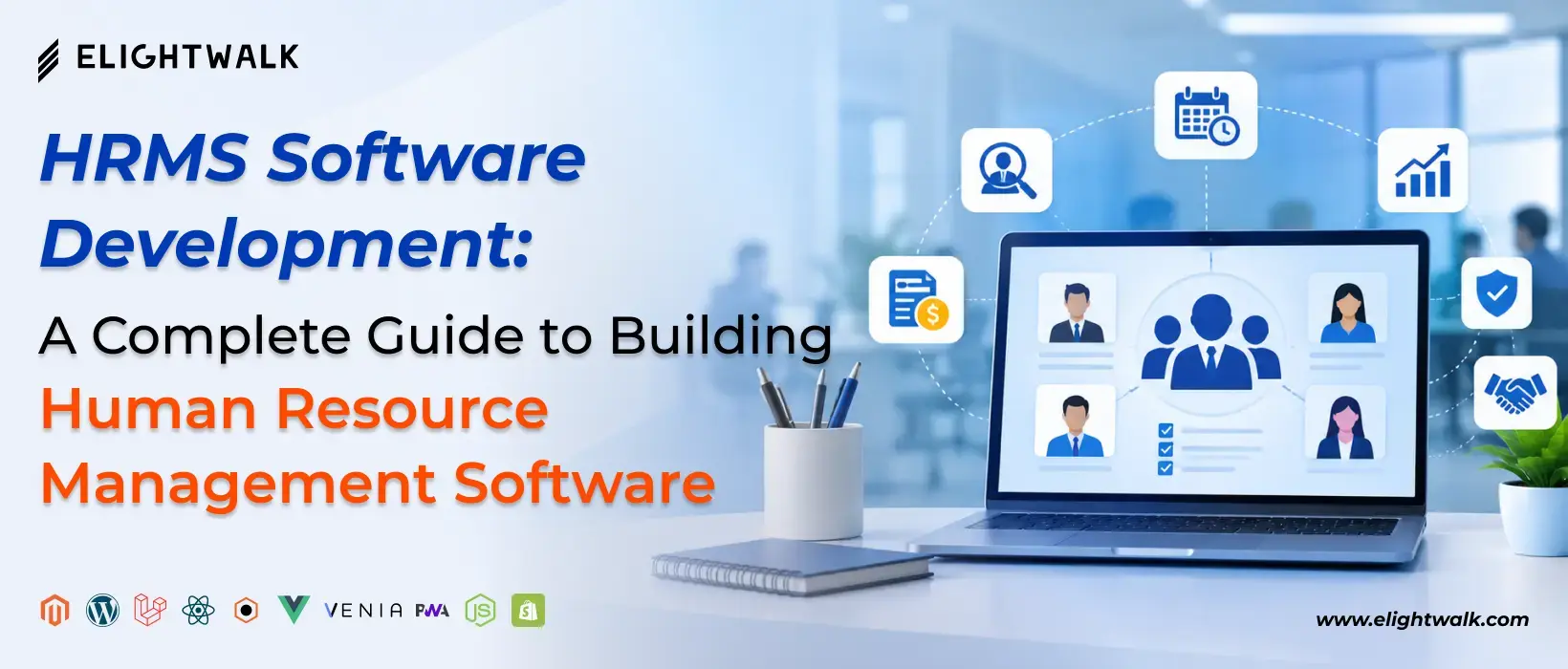
HRMS Software Development: A Complete Guide to Building Human Resource Management Software

13 Mins
Jayram Prajapati  ·   24 Nov 2026
Share to:
HRMS software development guide covering human resource management system features and technology
service-banner

Managing staff in a business can be complex. Businesses need to handle recruitment, employee onboarding, data management, performance appraisals, leave management, payroll, and compliance. When these tasks are managed through spreadsheets or separate tools, HR teams may spend more time on administrative work and less time improving the employee experience.

An efficient way to manage these processes is through a Human Resource Management System (HRMS). It helps organizations streamline HR operations, maintain employee records, and make more informed workforce decisions.

However, HR policies, business requirements, and workforce structures can vary from one organization to another. As a result, standard HRMS platforms may not offer enough flexibility to support every business process. Developing custom HRMS software allows businesses to create a solution tailored to their specific requirements and workflows.

In this article, we explore what HRMS software is, its key features, the development process, technology requirements, costs, common challenges, and emerging market trends to help your business make informed decisions when building an HR management solution.

What Is HRMS Software?

Human Resource Management System (HRMS) software is an online platform that manages and automates various human resource activities throughout the employee lifecycle.

It provides a centralized environment where HR professionals, managers, and employees can access relevant information and complete routine HR tasks.

An HRMS typically manages activities such as:

  • Employee information and document management
  • Recruitment and candidate tracking
  • Employee onboarding and offboarding
  • Attendance and leave management
  • Payroll and compensation management
  • Performance evaluation
  • Employee training and development
  • HR analytics and reporting

To understand how it works, whenever an employee requests leave, the HRMS can automatically send the request to the reporting manager, update the available leave balance after approval, and maintain the record for future reference. Similarly, payroll information can be connected with attendance records to reduce manual calculations.

Modern HRMS platforms can also integrate with accounting applications, ERP systems, biometric devices, communication tools, and other business applications.

Why Do Businesses Need Custom HRMS Software?

Every organization operates differently. A startup with 30 employees may require basic employee records and leave management, while a multinational organization may need multiple approval levels, location-based policies, and complex payroll structures.

Off-the-shelf HRMS products provide standard features, but they may not accommodate every business requirement. Custom HRMS software development lets organizations build a platform that supports their specific workflows.

1. Automation of Repetitive HR Tasks

HR departments regularly handle repetitive activities such as updating employee records, approving leave requests, generating reports, and processing attendance information.

Automating these tasks reduces manual work and allows HR professionals to focus on employee engagement, workforce planning, and organizational development.

2. Centralized Employee Information

Employee information is often distributed across spreadsheets, email conversations, documents, and separate applications.

A custom HRMS provides a centralized database where authorized users can access employee profiles, employment history, documents, and other relevant information.

3. Improved Operational Efficiency

Automated workflows help reduce delays in approvals, onboarding, attendance tracking, and payroll preparation. Employees can also access self-service features instead of contacting HR for every routine request.

4. Better Business Scalability

As organizations expand, their HR requirements become more complex. Custom HRMS solutions can be designed with modular architecture, allowing businesses to add departments, locations, employee categories, and features as requirements evolve.

5. Greater Control Over Business Processes

Custom development gives organizations greater control over approval rules, employee permissions, reporting structures, and workflow configurations.

This flexibility is particularly useful for businesses with specialized HR policies or complex operational requirements.

Types of HRMS Software

Before starting HRMS software development, businesses should understand the different deployment and product models available.

1. Cloud-Based HRMS

Cloud-based HRMS software is hosted on cloud infrastructure and accessed through the internet. Employees and managers can use the platform from different locations without maintaining dedicated on-premises servers.

Key advantages:

  • Access from multiple devices and locations
  • Flexible infrastructure scaling
  • Centralized software updates
  • Reduced on-premises infrastructure requirements
  • Easier support for distributed teams

2. On-Premises HRMS

An on-premises HRMS is installed and managed within an organization's own IT infrastructure.

Businesses have greater direct control over hosting environments, infrastructure configuration, and internal system administration.

This model may suit organizations with specific infrastructure, data residency, or internal security requirements.

3. Hybrid HRMS

A hybrid HRMS combines cloud-based services with on-premises infrastructure. For example, an organization may use cloud-based employee self-service while maintaining certain sensitive systems within its internal infrastructure.

4. SaaS-Based HRMS

Software-as-a-Service (SaaS) HRMS platforms provide access to HR functionality through a subscription-based model.

Businesses can use the software without developing and maintaining the entire application themselves.

Companies planning to build a commercial HRMS product can consider a multi-tenant SaaS architecture, allowing multiple customers to use the same platform while keeping their information logically separated.

Essential Features of HRMS Software

The features included in an HRMS depend on business size, industry, workforce structure, and operational requirements. However, certain modules form the foundation of most modern HR management systems.

1. Employee Information Management

Employee management is one of the most important HRMS modules.

It maintains employee profiles containing information such as:

  • Personal and contact details
  • Employee identification
  • Department and designation
  • Joining date and employment status
  • Reporting manager
  • Salary and compensation details
  • Educational and professional information
  • Employment documents

A centralized employee database makes information easier to organize, update, and retrieve.

2. Recruitment Management

Recruitment management helps HR teams organize the hiring process from job creation to candidate selection.

Important features include:

  • Job posting management
  • Candidate profile management
  • Resume uploads
  • Applicant tracking
  • Interview scheduling
  • Recruitment pipeline management
  • Offer letter generation

A structured recruitment workflow helps hiring teams monitor candidate progress and coordinate interviews more efficiently.

3. Employee Onboarding and Offboarding

Onboarding management helps organizations complete joining formalities and introduce new employees to their workplace. The module can include document collection, employee information forms, policy acknowledgments, task assignments, and onboarding checklists.

Offboarding workflows can manage resignation requests, exit interviews, asset returns, access removal, and final settlement processes.

4. Attendance and Time Management

Attendance management tracks employee working hours, shift schedules, late arrivals, overtime, and absences.

Depending on business requirements, the system can support:

  • Manual attendance entries
  • Biometric device integration
  • Mobile attendance
  • GPS-based attendance, where appropriate
  • Shift scheduling
  • Overtime calculations
  • Attendance regularization

Integration with attendance systems can help businesses maintain more consistent workforce records.

5. Leave Management

Leave management allows employees to submit leave requests and check their available leave balances.

The system can support different leave categories, accrual rules, holiday calendars, approval workflows, and leave history.

Managers can review requests through a centralized dashboard, while HR teams can configure leave policies according to organizational requirements.

6. Payroll Management

Payroll management helps organizations calculate employee compensation based on salary structures, attendance, approved deductions, and applicable benefits.

Depending on the scope, the module may include:

  • Salary structure configuration
  • Gross and net salary calculations
  • Bonuses and incentives
  • Reimbursements
  • Deductions
  • Payslip generation
  • Payroll reports
  • Bank payment file generation

For businesses operating in India, payroll requirements may also include applicable provident fund, employee state insurance, professional tax, tax deduction, and other statutory considerations.

Configure payroll rules according to the relevant jurisdiction, and update them when regulations change.

7. Employee Self-Service Portal

An employee self-service (ESS) portal lets employees access their HR information without relying on HR staff for routine requests.

Employees may be able to:

  • View and update permitted profile details
  • Download salary slips
  • Apply for leave
  • Check attendance
  • Access company policies
  • Submit reimbursement requests
  • View assigned tasks and announcements

Self-service functionality improves accessibility and reduces routine administrative communication.

8. Performance Management

Performance management helps organizations evaluate employee contributions and track professional development.

Common features include goal setting, performance reviews, feedback collection, appraisal cycles, and performance reports.

Managers can use this information to identify areas for improvement and support employee development.

9. Learning and Development

A learning management module helps organizations manage employee training programs and professional development activities.

It can include training schedules, course assignments, learning materials, assessment records, and certification tracking. This helps businesses keep training records organized and identify skill development needs.

10. HR Analytics and Reporting

HR analytics converts workforce information into useful business insights. Common reports include employee headcount, department distribution, attendance trends, recruitment performance, employee turnover, and payroll expenses.

Custom dashboards can help management understand workforce trends and make informed decisions.

Advanced Features of Modern HRMS Software

Beyond standard HR modules, modern HRMS platforms can include additional capabilities to improve employee experience and administrative efficiency.

Some useful advanced features include:

  • Workflow Automation: Automatically assign tasks, send approval requests, generate notifications, and trigger actions based on predefined conditions.
  • Document Management: Store employment contracts, identity documents, certificates, and other records with controlled access.
  • Multi-Level Approval: Support different approval hierarchies for leave, expenses, attendance corrections, and other HR requests.
  • Mobile Application: Allow employees and managers to access HR functions through Android and iOS applications.
  • Notifications and Reminders: Send alerts for pending approvals, upcoming reviews, expiring documents, and important HR activities.
  • Multi-Branch Management: Manage employees, departments, holidays, and policies across multiple business locations.
  • Role-Based Access Control: Ensure employees, managers, HR administrators, and management teams can access only the information relevant to their responsibilities.

Step-by-Step HRMS Software Development Process

Technology Stack for HRMS Software Development

Choosing the right technology stack is important for building a secure, maintainable, and scalable HRMS.

The selection depends on application complexity, team expertise, integration requirements, and expected usage.

Development Layer Possible Technologies
Frontend React.js, Vue.js, Angular, Next.js
Backend Node.js, Laravel, Python, Django
Database PostgreSQL, MySQL, MongoDB
Mobile Development React Native, Flutter
Cloud Infrastructure AWS, Microsoft Azure, Google Cloud
API Integration REST APIs, GraphQL
Authentication OAuth 2.0, OpenID Connect
Testing Jest, Cypress, Selenium

For example, React.js can build interactive HR dashboards, while Node.js or Laravel can handle backend business logic and API operations.

PostgreSQL or MySQL can store structured employee information, payroll records, and organizational data. Select the final technology stack based on the project's actual requirements, not simply popular trends.

Security and Data Privacy Considerations in HRMS Development

HRMS platforms manage sensitive information, including employee identities, compensation details, contact information, employment documents, and attendance records.

Therefore, security should be considered from the beginning of the development process.

Important security practices include:

  • Role-Based Access Control: Define permissions for employees, managers, HR administrators, and system administrators.
  • Data Encryption: Protect sensitive information in transit and at rest using appropriate encryption methods.
  • Multi-Factor Authentication: Add a verification layer for account access, especially for privileged users.
  • Audit Logs: Maintain records of important activities, including profile changes, payroll modifications, and approval actions.
  • Secure Backups: Create regular backups and establish recovery procedures to protect important business information.
  • Data Retention Policies: Define how long employee information is stored and how it is securely archived or deleted.

Businesses should also consider applicable data protection and employment regulations in the countries where the HRMS operates.

Role of AI and Automation in HRMS Software

Artificial intelligence and automation are creating new opportunities for improving HR operations.

When implemented responsibly, these technologies can help HR professionals analyze workforce information and reduce repetitive administrative tasks.

Some potential applications include:

1. AI-Assisted Recruitment

AI-powered tools can help organize resumes, identify relevant candidate experience, and support recruiters in managing large application volumes.

Recruitment decisions should still involve appropriate human review to reduce bias and ensure fair candidate evaluation.

2. HR Chatbots

AI chatbots can answer common employee questions about leave policies, company procedures, onboarding steps, and HR documentation.

They can also direct employees to the appropriate HR department when a request requires human assistance.

3. Predictive Workforce Analytics

Machine learning models can analyze historical workforce data to identify patterns in employee turnover, absenteeism, and workforce requirements.

These insights can help HR teams investigate trends and improve workforce planning. Predictions should be treated as decision-support information rather than definitive conclusions about individual employees.

4. Automated Document Processing

AI-powered document processing can extract relevant information from resumes, application forms, and employment documents.

This can reduce manual data entry and help HR teams organize information more efficiently.

5. Intelligent Notifications

Automated systems can identify upcoming events such as performance reviews, contract renewals, training deadlines, and pending approvals. This helps HR departments maintain consistent follow-ups.

How Much Does HRMS Software Development Cost?

The cost of HRMS software development depends on the project's complexity, selected modules, technology stack, integrations, security requirements, and development team.

A basic HRMS with employee records, attendance, and leave management requires a different investment compared with an enterprise platform that includes payroll, recruitment, analytics, mobile applications, and AI capabilities.

The following table provides an illustrative planning framework, not fixed market pricing.

Development Level Typical Scope Relative Complexity
Basic HRMS Employee records, leave, attendance Low
Mid-Level HRMS Basic modules, payroll, recruitment, reports Medium
Advanced HRMS Multiple integrations, mobile apps, advanced workflows High
Enterprise HRMS Multi-entity operations, complex permissions, advanced analytics, extensive integrations Very High

Factors That Influence Development Costs

1. Number of Modules: More modules require additional development, testing, and integration work.

2. Customization Requirements: Specialized approval workflows, salary structures, and reporting requirements increase development complexity.

3. Third-Party Integrations: Connecting biometric devices, accounting software, payment systems, and other applications can add development effort.

4. Mobile Application Development: Building dedicated Android and iOS applications introduces additional design, development, and testing requirements.

5. Security Requirements: Advanced authentication, encryption, auditing, and compliance-related functionality require additional planning and implementation.

6. Maintenance and Support: Hosting, monitoring, security updates, bug fixes, and future enhancements should also be included in the long-term budget.

The most effective approach is to define the required features and obtain a project-specific estimate before development begins.

Common Challenges in HRMS Software Development

Developing an HRMS involves several technical and operational challenges. Identifying them early can help businesses avoid expensive changes later.

  • Complex Payroll Rules: Different employee categories, locations, deductions, and statutory requirements can complicate payroll implementation. The system should use configurable rules and undergo detailed testing.
  • Data Migration: Moving employee information from spreadsheets or legacy applications can introduce duplicate, outdated, or incomplete records. Data cleaning and validation should be completed before migration.
  • Integration Difficulties: Existing business applications may use different APIs, data formats, or authentication methods. Proper integration planning is essential.
  • User Adoption: Employees may find a new HRMS difficult to use if the interface is complicated. Simple navigation, employee training, and accessible self-service features can improve adoption.
  • Security Risks: Poor access control or inadequate data protection can expose sensitive employee information. Security testing and monitoring should be part of ongoing maintenance.
  • Scalability: A system designed only for a small workforce may experience performance issues as employee numbers and data volumes increase. Scalable architecture helps address future requirements.

How to Choose the Right HRMS Software Development Company

Selecting the right development partner is an important decision because HRMS software directly supports essential business operations.

Before choosing a software development company, consider the following factors:

  1. Custom Development Experience: Look for a team with experience building software around specific business requirements.
  2. Technical Expertise: Evaluate knowledge of frontend frameworks, backend technologies, databases, APIs, and cloud infrastructure.
  3. Security Practices: Understand how the company approaches authentication, authorization, data protection, and software testing.
  4. Integration Capabilities: Check whether the development team can connect the HRMS with existing business applications.
  5. Communication and Transparency: Choose a partner that provides clear project updates, development milestones, and documentation.
  6. Post-Launch Support: Confirm that maintenance, bug fixing, upgrades, and future enhancements can be supported.

A reliable development partner should understand both technical requirements and the operational challenges that HR teams face.

Why Choose Elightwalk for HRMS Software Development?

Building effective HRMS software requires a combination of business understanding, technical expertise, and a structured development approach.

Elightwalk helps businesses develop customized software solutions designed around their operational requirements. Its software development capabilities include custom software development, enterprise applications, UI/UX design, quality assurance, mobile application development, and AI and data science solutions.

Whether a business wants to create a new HRMS platform or improve an existing application, the development approach should begin with understanding its workflows, users, and long-term objectives.

Elightwalk can support the development journey through:

  • Custom Software Development: Build HRMS functionality around specific organizational processes and requirements.
  • Enterprise Application Development: Develop solutions designed to support complex business operations and growing organizations.
  • Modern Technology Stack: Work with technologies such as React.js, Vue.js, Node.js, Laravel, Python, and other suitable frameworks.
  • UI/UX Design: Create intuitive interfaces for employees, HR professionals, and management teams.
  • AI and Automation: Explore AI-powered capabilities and workflow automation where they provide practical business value.
  • Quality Assurance: Test application functionality, integrations, performance, and reliability.
  • Maintenance and Support: Improve and maintain applications as business requirements and technologies evolve.

With a collaborative, agile approach, Elightwalk builds software that aligns with business goals and supports future growth.

If you are planning to develop a custom HRMS platform, contact Elightwalk to discuss your project requirements and explore the right development approach.

Essence

HRMS software development is an important investment for organizations looking to improve workforce management, automate HR operations, and create more organized employee experiences.

From employee information management and recruitment to payroll, attendance, performance evaluation, and analytics, a well-designed HRMS can bring essential HR processes into one centralized platform.

However, successful development requires more than selecting features. Businesses must carefully evaluate their workflows, choose suitable technologies, prioritize security, plan integrations, and build an architecture that supports future growth.

Whether you are developing a basic HR management application or a comprehensive enterprise HRMS platform, working with an experienced software development partner can help turn your requirements into a practical digital solution. Elightwalk can help businesses explore custom software development approaches that align with their operational goals and evolving technology requirements.

FAQs about HRMS Software Development

What is HRMS software development?

What are the essential features of HRMS software?

How long does it take to develop HRMS software?

How much does custom HRMS software development cost?

Which technologies are used to develop HRMS software?

Can HRMS software integrate with existing business applications?

Can AI be integrated into HRMS software?

Jayram Prajapati
Full Stack Developer

Jayram Prajapati brings expertise and innovation to every project he takes on. His collaborative communication style, coupled with a receptiveness to new ideas, consistently leads to successful project outcomes.

Most Visited Blog

What is Adaptive Software Development​? A Guide with Comparison
Discover Adaptive Software Development (ASD), a flexible, iterative methodology that embraces change, fosters collaboration, and ensures continuous learning for modern software projects.
How to Choose the Right AI Features for Your SaaS Product
Choosing the right AI features can help SaaS products improve workflows, reduce effort, and deliver meaningful customer value.
How AI-Powered Search is Transforming Magento Stores in 2026
See how next-generation AI search is revolutionizing Magento in 2026, delivering smarter SEO results, smoother shopping experiences, and measurable boosts in revenue.